Why Your Public Server Is Already Being Scanned (And What You Can Do About It)
If you run a server on a public IP, you do not need to be a big company to become a target. A personal blog, a side project, a self-hosted tool – it does not matter. Within hours of exposing a port to the internet, your logs will fill up with strange requests. SQL injection attempts. Credential stuffing. Port scans. Crawlers probing for vulnerabilities you did not even know existed.
Most small-team developers know this is a problem. The part they skip is doing anything about it, because enterprise-grade security tools feel over-engineered for a server that handles a few hundred users a month.
That gap is where SafeLine fits in.
What SafeLine Actually Is
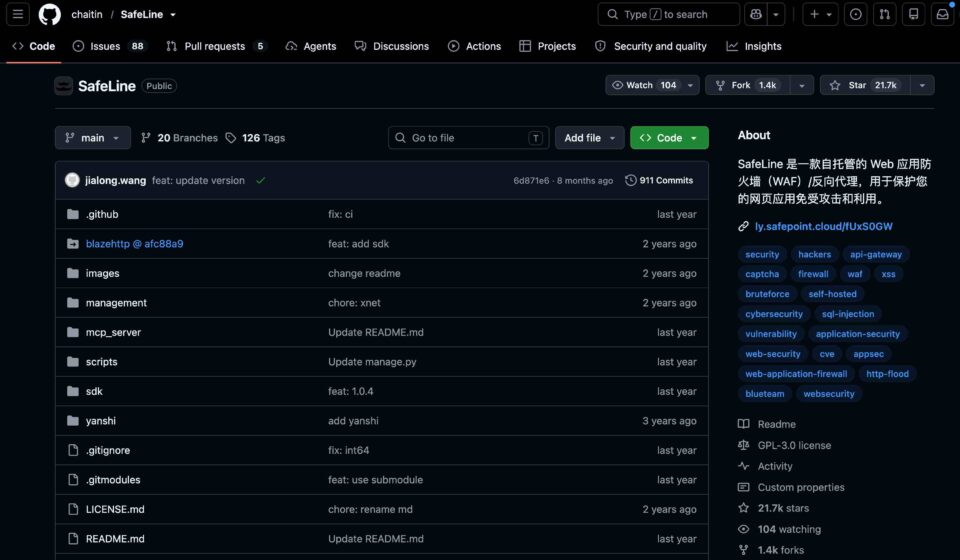
SafeLine is an open-source Web Application Firewall developed by Chaitin, the same team behind the well-known security research platform and a lineup of professional security tools. On GitHub it has accumulated 21.7K stars, which is a strong signal – security tooling rarely attracts that kind of attention from developers who are not full-time security engineers.
The core idea is straightforward: SafeLine sits in front of your actual application as a reverse proxy. All incoming traffic passes through it first. SafeLine inspects each request and decides whether to pass it through, block it, rate-limit it, or challenge it with a human verification step.
It covers the standard threat landscape – SQL injection, XSS, command injection, SSRF, path traversal, RCE, brute force attempts – and it also handles the modern problem space that classic WAFs often miss: automated bot traffic, abnormal request frequency, and scraping operations.
The Four Capabilities That Actually Matter
CC Protection
HTTP Flood attacks do not require sophisticated techniques. Someone can target a lightly-loaded endpoint with a burst of concurrent requests and knock it offline without any zero-day exploit. For a small team without complex autoscaling, this is one of the fastest paths to downtime.
SafeLine’s CC protection enforces request frequency limits at the entrance layer. If a source is hitting your endpoints too fast or exhibiting abnormal request patterns, it gets throttled or queued. During genuine traffic spikes, the waiting room feature holds visitors in line rather than letting them flood your backend all at once. Your server does not need to handle the peak – it just needs to handle the steady flow that SafeLine releases.
This matters for indie developers specifically because most personal projects do not have the infrastructure to absorb sudden traffic surges. Keeping the flood gates at the entrance is a practical way to stay online without running expensive over-provisioned instances.
Bot Protection
Bot traffic is not always obvious. A crawler might look like normal browser traffic at first glance. It could be a scraper running at low and steady rates, credential stuffing scripts, or automation tools probing your API endpoints. These do not trigger traditional alerting systems because individually each request looks legitimate.
SafeLine’s bot protection evaluates client-side signals: whether the source IP has a history of malicious behavior, whether the client presents as a real browser, whether debugging or automation tooling is present, whether keyboard and mouse behavior match human patterns. Real users pass through with minimal friction. Automated tools run into a verification wall that makes large-scale operation economically impractical.
The underlying protection also includes replay attack prevention, which reduces the risk of captured requests being reused without your awareness. It is not a replacement for proper authentication in your application, but it adds a meaningful layer at the entrance.
Dynamic Protection
Many scraping and automation frameworks rely on stable page structures. If the HTML layout, JavaScript, and API endpoint paths never change, an attacker can write one rule set and run it indefinitely. This predictability makes it easier to build and maintain scrapers at scale.
Dynamic protection works by processing HTML and JavaScript on each request so that the output varies per visit. Page structure, code injection, and path patterns shift dynamically, which breaks the assumptions that static scrapers depend on. Legitimate users with standard browsers receive the intended content normally. Scrapers and automated tools encounter payloads that do not resolve into usable data.
For content-heavy sites or applications where data exposure creates competitive or regulatory risk, this changes the economics of unauthorized scraping significantly.
Identity Authentication
Internal tools, staging environments, and temporary admin panels often end up exposed on public IPs. This happens during debugging sessions, integration testing, or just moving fast. These are exactly the surfaces that get picked up by automated scanners and end up in vulnerability databases.
SafeLine’s identity authentication places a verification gate in front of specific applications. Visitors must authenticate before reaching the actual service. It supports mainstream enterprise identity providers including DingTalk, WeCom, and GitHub OAuth, which covers most small-team scenarios without requiring a separate credential management system.
For internal dashboards, test environments, or one-off pages that should not be public, this is a fast way to add a meaningful access control layer without modifying application code.
What This Actually Replaces
SafeLine is not positioned as a replacement for cloud WAF services like Cloudflare or AWS WAF. Those products work well when you are already in that ecosystem or when you need globally distributed infrastructure. The practical value of SafeLine is different: it runs on your own infrastructure, it is easy to deploy and understand, and the configuration lives in your own environment rather than another vendor’s dashboard.
For a solo developer or a two-person team running public-facing services, SafeLine covers the gap between “doing nothing” and “managing enterprise security tooling.” You get protection against the most common automated threats without taking on significant operational overhead.
WAFs are not a replacement for secure coding practices, proper authentication, dependency updates, and regular backups. But having an entrance layer that filters out the noise, blocks the obvious attacks, and gives you visibility into what is actually hitting your infrastructure – that is not optional anymore, even for small projects.
If you manage any service on a public IP, running SafeLine in front of it is worth 20 minutes of setup time. The project page and registration link are below.
Project page: https://github.com/chaitin/SafeLine