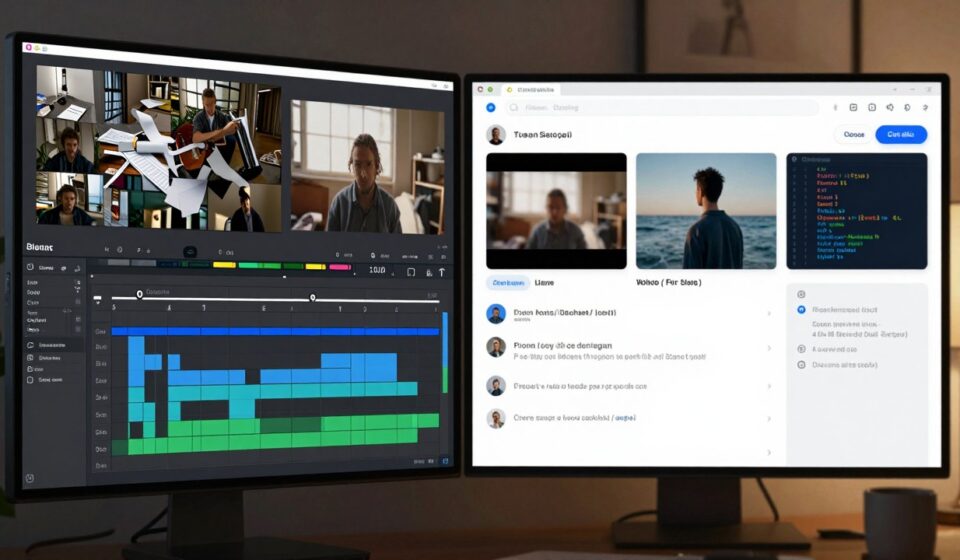
Codex + OpenMontage Made Me Throw Out My Editing Software
Ninety seconds. That was all this clip was. A ninety-second explainer video. From writing the script, to finding footage, to editing, voiceover, subtitles, and final packaging, I said exactly one sentence the whole time. Yeah, you heard that right. Just one sentence. Everything else was Codex and OpenMontage doing the work. No CapCut opened. No Premiere touched. Not a single keyframe adjusted by hand.
You know that feeling when something you spent years getting good at just gets completely upended by something you met two weeks ago? That’s kind of what this felt like.
1、The official repo has four showcase videos.
I’m gonna walk you through the two that hit hardest, so you can see where the actual boundaries are.
The first one is called “THE LAST BANANA.” It’s a sixty-second Pixar-style animated short.
The story is dead simple: a lonely banana becomes friends with a kiwi. Here’s the official production breakdown. Six dynamic clips generated with Kling v3 through fal.ai. Google Chirp3-HD for the voiceover. Royalty-free piano track. TikTok-style word-by-word subtitles. Remotion for the final composition.
Total cost: $1.33.
That number made me stop. $1.33. In China that won’t even buy you a bubble tea. And you get a sixty-second animated short with a real story, voiceover, and original music. A year ago, that budget wouldn’t have covered a few Midjourney images.
The second one is “VOID . Neural Interface.” A straight-up product ad.
Here’s the part that surprises most people: it only used one API key. OpenAI’s.
Four images generated with gpt-image-1. OpenAI TTS narration. Auto-searched royalty-free background music. WhisperX for the word-level subtitles. Remotion for the data visualization motion graphics.
Total cost: $0.69. Zero manual footage work.
If you run a cross-border e-commerce store or a SaaS product, you probably already see the value here. A product ad video used to take at least a week from brief to delivery. Now you can knock one out in ten minutes for less than a dollar.
2、So how does OpenMontage actually work? Let’s break it down.
Most people hearing about OpenMontage for the first time instinctively lump it in with Runway, Pika, or those AI video generation tools. But it’s a completely different animal.
Runway-type tools generate pixels. OpenMontage organizes production. Think of it as a full video production studio that handles the entire pipeline from topic research to final render, and it does it autonomously.
The most counterintuitive design choice: there’s no orchestrator
The traditional approach to building an automated video system usually involves writing a central dispatcher that calls each module step by step in a fixed sequence. OpenMontage doesn’t do that. Your AI coding assistant is the orchestrator. Codex, Claude Code, Cursor, Copilot. Any AI assistant that can read files and run code can become the director of this whole system. The AI isn’t passively executing a fixed workflow. It’s actively understanding your request, picking strategies, calling tools, and checking quality.
Three core production pipelines
OpenMontage doesn’t run one process for everything. It matches your video type to different pipeline definitions in the pipeline_defs/ directory. There are three that matter most right now.
Pipeline one: Image-based video.
This is the workhorse. Piper TTS handles narration. FLUX, DALL-E, or gpt-image-1 generate the visual images. Remotion handles the animation composition, spring animations, text cards, charts, word-by-word subtitles, all of it. “Afternoon in Candyland” and “VOID” both ran through this pipeline.
Pipeline two: Real-footage video.
This one leans documentary. The system builds a CLIP-searchable footage library from free open-source archives like Archive.org, NASA, and Wikimedia Commons, then pulls real motion footage matched to your topic and edits it into a logically sequenced film. For historical explainers, city culture docs, or nature content, the visual authenticity here is something AI generation just can’t touch.
Pipeline three: Character animation.
Local SVG character binding plus a pose library, GSAP timeline, and HyperFrames rendering let you produce cartoon character performance animation. No local GPU needed. No video generation model required.
Two compositing engines, auto-selected.
Remotion (the default) handles data-driven explainer videos, chart animations, and text-heavy content. HyperFrames is built for dynamic layouts, product landing pages turned into videos, launch trailers, and SVG character animation. The Agent decides which engine to lock in during the proposal stage based on your requirements.
Seven-dimension scoring plus a self-check system
OpenMontage has one particularly hardcore design detail. Every tool provider choice goes through a seven-dimension scoring engine. Cost, quality, speed, availability, style match, stability, compliance. Every decision has an auditable log.
Before final delivery, the system runs a multi-point quality check.
ffprobe validation: verifies the video file is complete and the encoding is correct.
Frame sampling inspection: randomly samples frames to catch black screens or corruption.
Audio level analysis: checks that volume is consistent and there are no clipping peaks.
Delivery commitment verification: confirms duration, resolution, and frame rate match your specs.
Subtitle check: validates timing alignment and complete text.
It doesn’t just generate and dump the file. It runs through QC the way a real post-production team would, and if something fails, it re-runs that specific stage automatically.
Oh, and one more feature that genuinely surprised me: starting from a reference video.
You can drop in a YouTube video, TikTok clip, or any local video, and it automatically analyzes the transcript, pacing, scene transitions, key frames, and overall style. Then it gives you two to three differentiated remake concepts, complete with tool paths, cost estimates, and sample previews.
3、So how do you actually call OpenMontage from inside Codex?
If you’ve already got Codex installed, the whole process is almost too simple.
Step one. Open the Codex plugin marketplace, search for OpenMontage, click install. Takes about ten seconds.
Step two. Type the @ symbol in the chat input. Select OpenMontage from the dropdown menu.
Step three. Just tell it what you want. For example:
“Make me a sixty-second animated explainer about how neural networks learn, Ghibli style, suitable for TikTok.”
And it just goes. Understanding the request, reading the pipeline definition, researching the topic, writing the script, planning the shots, generating footage, voiceover, music, editing, compositing, self-check rendering, final output. If any step isn’t what you wanted, just tell it in plain language. “The pacing is too slow, speed it up.” It gets it. “Change the voice to female.” It does it. “Swap the third segment for footage I’m uploading myself.” No problem.
You don’t need to know code. You don’t need to know editing. You don’t need to know video formats. It’s like talking to a real video editor, except this one doesn’t get tired, doesn’t complain, and is available twenty-four hours a day.
What video types work best with this setup?
After two weeks of actually using it, here’s where it really shines.
Explainer shorts. Tech news, industry updates, trend breakdowns. The core value here is information density and turnaround speed. The visuals don’t need to be flashy, but the structure has to be solid. This combo is devastatingly effective for this format. What used to take half a day from topic selection to final cut now takes thirty minutes.
Data visualization and knowledge content. Anything with charts, comparisons, or process explanations. Remotion’s animation templates turn dry data into dynamic charts and abstract concepts into visual analogies. If you run a knowledge account, this is going to feel like a cheat code.
Product reviews and recommendations. Feature comparisons, demo walkthroughs, pros and cons. HyperFrames can turn a product page directly into a promo video with almost no friction.
Repurposing existing footage. Got a folder full of raw clips from a trip, an event, or a course recording and no idea how to cut them? Just drop them in and let it pull the best moments, match the rhythm, and add background music. Or drop in a YouTube video you love and ask it to make a quantum computing version in the same style.
The real pitfalls and costs
First, token consumption adds up faster than you’d think.
A sixty-second video can involve dozens of tool calls in the reasoning process. After making a handful of these, I did the math and figured I burned through a few dollars per video on average. If you’re producing at scale, the cost still matters, even if it’s ridiculously cheap compared to traditional production.
Second, Chinese language support still has gaps.
Subtitles occasionally have weird line breaks. When the voice hits polyphoneous characters or technical terms, there’s sometimes still a slight AI flavor to the delivery. You’ll need to hand-tune these parts.
These aren’t deal-breakers. They’re boundaries. Knowing what it can and can’t do is actually how you get the most out of it.
My honest take after two weeks
Using Codex plus OpenMontage for a couple weeks, my editing workflow has already changed.
Before, making one sixty-second explainer meant: pick a topic, write the script, find footage, open CapCut, rough cut, fine cut, add graphics, export, upload. Minimum two to three hours, start to finish.
Now the process is: say what I want, wait ten minutes, watch the result, make tweaks, export.
The time I save goes somewhere more valuable. Topic judgment, content strategy, engaging with readers. AI didn’t replace me. It just freed me from the repetitive stuff so I can do the things that actually need a human.
Maybe in six months OpenMontage gets replaced by something better. Maybe its image generation capabilities improve dramatically. Maybe platform rules change and AI-generated content gets throttled. I honestly can’t predict how any of that plays out.
But right now, at two in the morning, sitting here watching that auto-generated clip, I only have one real thought:
I probably won’t be opening my editing software that often anymore.