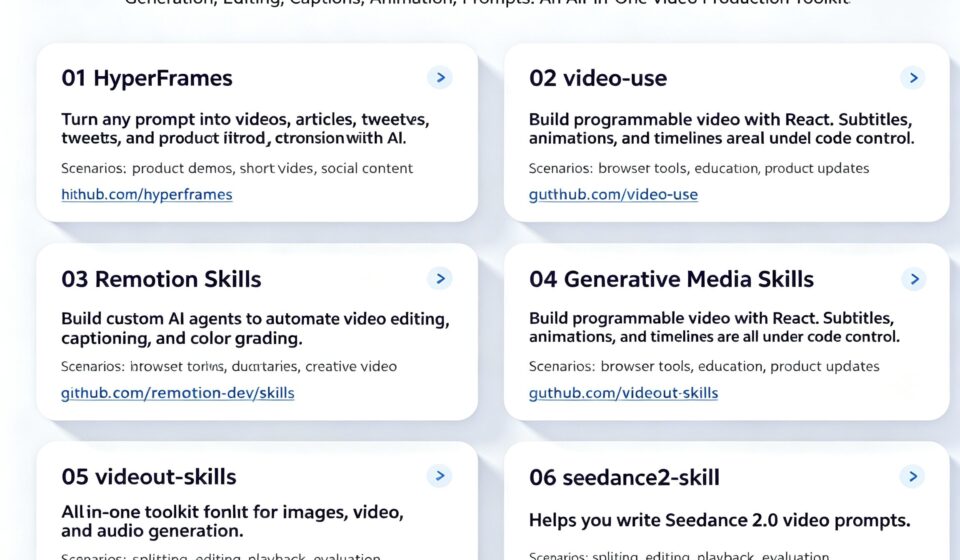
6 Video Agent Skills Every AI Creator Should Know About
There is a specific kind of frustration that every video creator knows. The script is finished. The idea is solid. But then comes the work that actually takes time: trimming the footage, sitting through takes where someone said “um” three times in a row, wrestling with subtitle timing, generating visuals for scenes you can describe but cannot draw. None of it is glamorous. All of it is necessary. And until recently, there was not much in the way of real AI help beyond broad promises.
That is starting to change. The tools getting built now are more specific, which means they are actually useful. After going through what is out there, six skills stood out. Each one solves a different part of the pipeline.
1. HyperFrames
Turns written content into a motion video in one step. Product descriptions, tweets, blog posts, anything that can be described in text becomes an MP4.
The prompt: turn this product description into a 30-second promotional video clip.
Product launches, tutorial openings, short-form social posts. You write the copy, HyperFrames handles the motion and timing. github.com/heygen-com/hyperframes
2. video-use
Built for rough cuts. It goes after the parts of raw footage that eat up editing time: pauses, false starts, filler words, and it handles subtitles and color grading in the same pass.
The prompt: trim this raw interview footage and remove all the pauses and filler words, then add subtitles in the original language.
It is a coding agent that knows video workflow, which means it handles the repetitive stuff without needing someone to sit through the whole timeline. github.com/browser-use/video-use
3. Remotion Skills
The strongest option right now for batch video production using React. Timeline control, subtitles, animated overlays, data-driven graphics. If your content has a recurring format, like weekly product updates or data reports, this is built for exactly that.
The prompt: create a weekly product update video template with animated stat cards, a progress bar, and a countdown timer, using the data from this JSON file.
Everything is code, so the output is consistent episode to episode and easy to replicate. github.com/remotion-dev/skills
4. Generative Media Skills
A toolbox that covers images, video, and audio. Leans toward ad creative, user-generated content, music shorts, and experimental visual work.
The prompt: generate a 15-second vertical video ad for this product using three different visual styles, then combine them into a single MP4 with a call-to-action overlay.
Useful when you need to test multiple visual directions quickly or produce variations at scale. github.com/SamurAIGPT/Generative-Media-Skills
5. videocut-skills
Made for Chinese-language creators. Subtitles, repeated phrases, verbal mistakes, the whole spoken-content workflow in Chinese. If you produce talking-head videos, interviews, or podcasts in Chinese, general editing tools tend to handle the specifics poorly.
The prompt: process this Chinese-language podcast recording and produce a clean version with synchronized subtitles, removing all repeated phrases and verbal fillers.
This one was built with those specific pain points in mind. github.com/Ceeon/videocut-skills
6. seedance2-skill
There is a gap between the visual you can describe and the prompt you need to write to get it. You know what you want to see, but translating that into lens movement, shot type, and mood descriptors for a text-to-video model is its own skill. This helps bridge that gap.
The prompt: I want a wide shot of a rain-soaked city street at night, neon reflections on wet pavement, a lone figure walking toward the camera.
Seedance2-skill takes that plain-language description and rewrites it into a structured prompt Seedance 2.0 can work with. github.com/dexhunter/seedance2-skill



[…] building agentic workflows. And for a broader look at how different models handle agent tasks, this breakdown of video agent skills covers practical patterns across multiple model […]