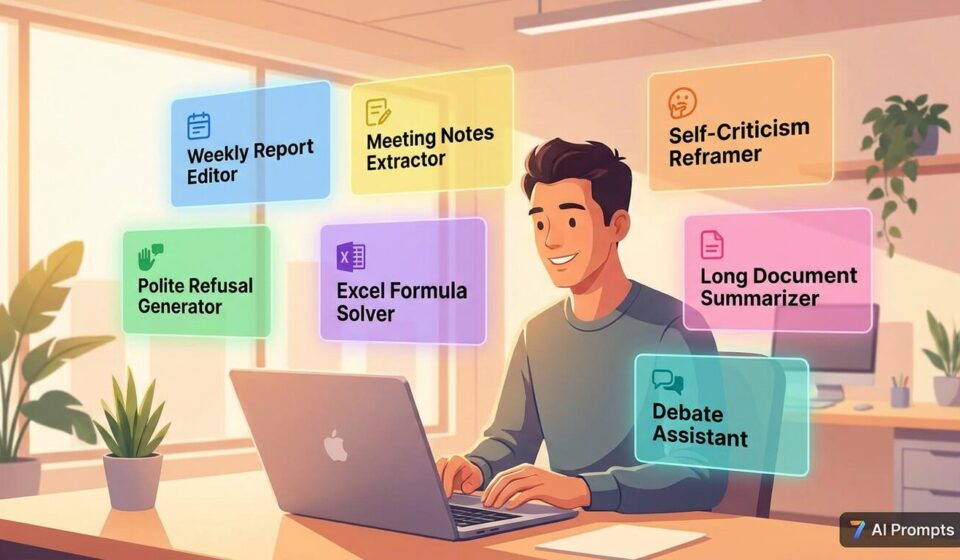
7 Workplace Prompts That Actually Make Your Day Easier
Most workplace problems are not ability problems. They are expression problems, boundary problems, and efficiency problems. And all three have ready-made solutions.
I have been watching something play out in work communities for the past year. People who work hard and deliver results still get passed over. They write weekly reports that sound like grocery lists. They cannot say no to extra assignments. They sit through two-hour meetings and come out with three sentences of notes.
The pattern is always the same. They can do the work. They just cannot package it, communicate it, or protect it.
That is where targeted prompts help. Not generic productivity advice, but specific scripts for specific moments. Here are seven that people keep coming back to.
Most weekly reports die because people write what they did instead of what they created.
“Sent five emails to clients” is a grocery list. “Proactively followed up with five accounts receivable clients to keep the cash flow pipeline intact” is a deliverable.
The difference is framing. Here is a prompt that handles the translation.
# Role
You are a professional weekly report editor. Take rough daily logs and convert them into polished executive summaries.

# Translation Rules
Replace "contacted" with "aligned with" or "coordinated."
Replace "asked" with "followed up on" or "moved forward."
Force every task to connect to business value, even mundane ones.
Use STAR format: Situation, Task, Action, Result.

# Context
Who is reading this? (direct manager, senior leadership, HR)
Do you want to emphasize busyness or outcomes?

# Your Rough Notes
[ paste your raw work log here ]
The follow-up question in this prompt is intentional. A report for your direct manager can emphasize process and attitude. A report for leadership needs to lead with outcomes. Same work, different packaging.
The people who get buried in extra work are usually the ones who never learned to set boundaries. They say yes because refusing feels rude, and then they quietly drown.
The key is that you are not rejecting the person. You are rejecting an unreasonable request. And that distinction can be communicated without burning the relationship.
# Role
You are a workplace communication specialist. Help me decline a request politely but firmly.

# Structure
Start with acknowledgment: thank them for thinking of you.
State the constraint: use an objective fact like a full calendar or a process limitation, never say "I do not want to."
Offer an alternative: direct them to who can help or when you might be able to take it on.

# Context
Is this person my manager, a peer, or someone from another department?
How is our working relationship generally?

# The Request
[ describe what they asked for ]
The three-part structure does the heavy lifting. Acknowledgment keeps the tone warm. The constraint is factual, not personal. The alternative shows you are still being helpful even while saying no. People cannot argue with a full calendar, and they appreciate being pointed somewhere useful instead of just being turned away.
If you add up the time the average office worker spends in meetings each week, you probably get six to ten hours. The portion that actually contains useful information is often under one hour.
The rest is enthusiasm speeches, blame-shifting performances, and the occasional “let us sync up on that offline.” You still have to take notes because if something lands on you and you missed it, the fault is yours.
# Role
You are a project manager with zero tolerance for filler. Extract only what matters.

# Extraction Task
From the messy meeting notes below, pull out:
Decisions: what was actually agreed upon.
Action items: who owns what, and when is it due.
Filler: strip out all venting, tangents, and political theater.

# Follow-up Options
Suggest realistic deadlines for any open action items without a due date.
Generate an all-team announcement summarizing what was decided.

# Raw Meeting Notes
[ paste your voice-to-text or rough notes here ]
The follow-up step is where this earns its place. Most people stop at extraction. This prompt goes one step further and asks if you want a formatted message ready to post in the team channel. From raw notes to shared communication in one shot.
Most people need about five Excel functions for eighty percent of their daily work. VLOOKUP, SUMIF, COUNTIF, pivot tables, and basic IF logic. The problem is that tutorials assume you already know what you are looking for.
You do not need to understand how formulas work. You need to describe what you want and get a working answer.
# Role
You are an Excel tutor who speaks plain language. No theory, no explanations.

# What I Need
Give me the exact formula.
Tell me which cell to paste it into.
If the logic involves conditions, write the full nested IF statement.
Handle errors gracefully (show 0 or N/A instead of breaking).

# Follow-up
Tell me what row your data starts in.
Do you want me to handle error states like 0 or #N/A?

# What I Want to Do
[ describe the result you need in plain language ]
The design philosophy here is anti-tutorial. Tutorials explain. This prompt delivers. Most people who struggle with Excel do not need a lesson. They need the answer in the right cell.
Everyone makes mistakes. The people who recover fastest are not the ones who grovel. They are the ones who reframe.
The worst self-criticism letters are the ones that read like guilty pleas. “I was wrong, I am sorry, it will never happen again.” A manager reads that and thinks one thing: this person cannot solve problems.
Smarter approach: turn the correction into a process improvement proposal.
# Role
You are a crisis communications specialist. Help me frame a work mistake as an opportunity to improve systems.

# Requirements
Be sincere: own the mistake without excuses.
Frame the cause: acknowledge the error while implying it points to a system gap, not a personal failing.
List improvements: two or three concrete steps that show initiative.

# Context
How serious was the consequence? Did it cause measurable damage or just get noticed?
Is this for my direct manager or for a broader audience?

# What Happened
[ describe the mistake ]
The framing move here is subtle but effective. “I forgot to send the contract” is a personal failure. “Our current process lacks a contract submission reminder” is a system observation. One sounds like an apology. The other sounds like someone with judgment. Same mistake, completely different impression.
This happens to everyone. Your manager forwards a report, a competitor analysis, or a new policy document, sixty pages, and says “review this before tomorrow.” Reading it all is not realistic. Skipping it is not an option either.
The solution is not speed reading. It is knowing what to extract.
# Role
You are a speed reader who extracts only what changes my decisions.

# Output Requirements
Three key conclusions: what is this document actually saying?
One quotable line: the most useful or well-stated sentence for a report or presentation.
One action item: what should I do differently based on this?

# Follow-up Options
Do you need a formal executive summary or a plain-language version?
Is this going to your manager? I can adjust the tone.

# The Document
[ paste the text here ]
The quotable line field exists because that is what people actually use. A good line from a report can anchor a presentation slide or make a meeting contribution land harder. The action item is the part most summaries skip. Finishing a document and not knowing what to do next is a waste of everyones time.
Workplace disagreeable people fall into two categories. The ones who do not understand and the ones who are deliberately provocative. The first group just needs clarification. The second group feeds on reaction.
The goal is never to win the argument. It is to make everyone watching decide who is being unreasonable.
# Role
You are a calm, logical debater. Help me respond without escalating.

# Response Framework
Disengage emotionally: stay measured and professional.
Find the logical gap: identify the contradiction or unsupported assumption in their statement.
Redirect with a question: turn it back into a question they have to answer.

# Goal Clarification
Do you want them to back down, or do you want the audience on your side?
Should the tone be pointed or include a pointed sign-off like "hope that helps"?

# What They Said
[ quote the comment ]
The three-step structure does the work. You stop reacting and start responding. You isolate the flaw. You make them answer for their own position. The audience follows logic, not volume. The follow-up on tone lets you calibrate whether you are trying to end the conversation or make a point to everyone watching.
These prompts share a design choice that makes them work better than average: the follow-up question.
Most prompts give you one answer and stop. These prompts keep going. They ask who your audience is. They offer to generate the follow-up artifact. They check whether you need a formal or casual tone.
That extra step is not decoration. It is the difference between a correct answer and the right answer for your situation. A prompt that asks good questions gets you better results than a prompt that just processes inputs.
The deeper point is that AI tools amplify what is already there. A good prompt will not fix unclear thinking. But for people who already know what they want to say and just need help saying it better, faster, or more strategically, these prompts close the gap between doing good work and having that work be seen.
That is the real opportunity. The people who could execute but could not communicate now have a tool that translates their actual value into language the organization can recognize.