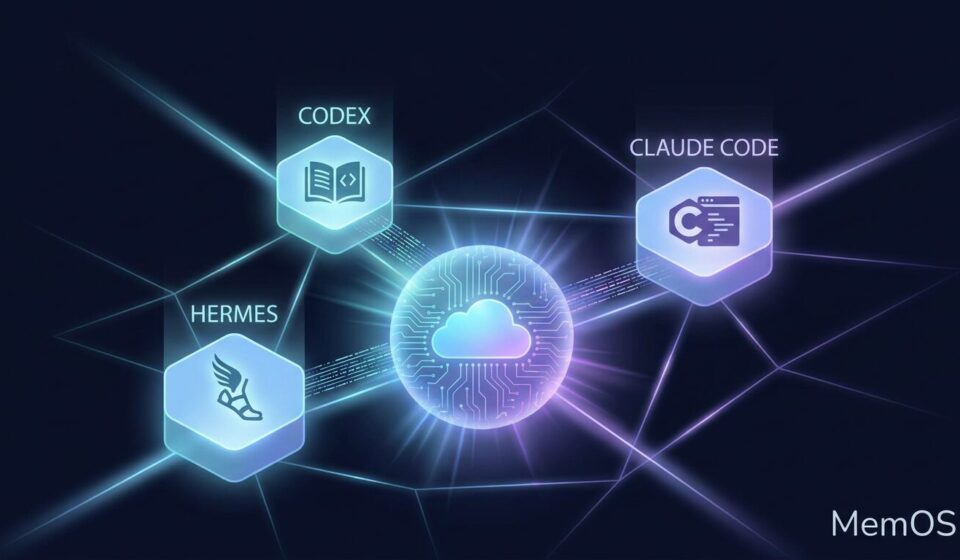
Your AI Coding Agent Keeps Forgetting. MemOS Fixes That.
You have been training your AI coding assistant for weeks. It knows your project, your preferred style, which files to leave alone, and which refactors always blow up in your face.
Then you switch to a different machine, a different session, or a different agent entirely. And it forgets everything.
Sound familiar? That is because most AI agents keep their memory locked inside their own framework. Your Hermes session knows things your Codex session does not. Your OpenClaw instance has context your Claude Code instance cannot access. Every time you move between agents, you are starting from scratch.
This is the problem MemOS is trying to solve.
MemOS is not another chat plugin or a fancy prompt wrapper. It is a dedicated memory infrastructure layer that sits between your agents and your conversations.
Think of it as a shared knowledge base that any agent can read from or write to. Your project context, coding preferences, past mistakes, and accumulated workflow knowledge become portable assets that follow you across agents rather than dying with each session.
The CLI tool makes this work for humans and agents alike. You manage it with terminal commands like memos add, memos search, and memos chat. Under the hood, it stores embeddings and conversation summaries that agents can retrieve at the start of any session and update at the end.
The killer feature is cross-agent portability. The same memory you build up in your local Hermes instance can be accessed by a Codex session on a remote server, as long as they share the same API key and user ID. Your trained agent does not disappear when you close a window.
Before plugging it into any agent, it makes sense to verify that the memory pipeline itself is working. Here is the fastest path from zero to confirmed connectivity.
Install the CLI on whatever machine is running your agent. You need Node.js available.
npm install -g @memtensor/memos-cloud-cli
Confirm the installation succeeded.
memos --version
memos --help
Next, create a free account at https://memos-dashboard.openmem.net and grab an API key from the dashboard. Then connect the CLI to your account.
memos config set platform.api_key YOUR_API_KEY
Now test the basic memory loop. Add a piece of test knowledge.
memos add "The user's favorite number is 996"
Retrieve it to confirm it persisted.
memos search "favorite number"
Or use the chat interface to ask about it directly.
memos chat "Do you know my favorite number?"
If these commands return what you stored, the memory layer is live. If they fail here, no agent integration will fix it. Get this working first.
With the CLI confirmed functional, the next step is giving your agent read and write access.
Initialize MemOS for your specific agent. For Hermes:
memos init --agent hermes
You will be prompted for your API key again. Paste it and press Enter. After installation, restart your agent gateway to ensure the new skill loads cleanly.
hermes gateway restart
Once restarted, ask your agent if it can now access MemOS. Most agents will confirm they have the new skill loaded and can begin reading from or writing to the shared memory store.
After the initial setup, you can instruct your agent to start migrating relevant context from its session memory into MemOS. This includes project goals, architectural decisions, known pitfalls, and coding preferences. Over time, the agent will build up a persistent layer of institutional knowledge that survives session boundaries.
Supported agents and their init commands:
memos init --agent hermes    # ~/.hermes/skills/memos/
memos init --agent codex     # ~/.codex/skills/memos/
memos init --agent cursor    # ~/.cursor/skills/memos/
memos init --agent claude    # ~/.claude/skills/memos/
memos init --agent openclaw  # ~/.openclaw/skills/memos/
The MemOS team claims that agents with integrated memory access consume significantly fewer tokens per session and achieve moderate accuracy improvements, since relevant context is injected from the memory store rather than re-explained every time.
This is where the concept stops being theoretical.
Suppose you have a production Hermes instance running on a cloud server and a development instance on your MacBook. Both are connected to the same MemOS account with the same API key and user ID.
From your MacBook session, you can search the cloud server instance is memory store and retrieve what the other agent saved. You can also assign each agent instance a distinct agent_id, which keeps their memories cleanly separated even when sharing the same account.
memos init --agent hermes --agent-id "prod-server"
memos init --agent hermes --agent-id "macbook-dev"
With separate agent IDs configured, each instance writes to its own namespace within the shared memory layer. You can then query one agent is memory from another, get a coherent summary back, and never lose track of which agent contributed what.
In practice, this means your cloud server can accumulate knowledge about a production deployment while your local machine retains knowledge about your development environment, and both can read each other is context when needed.
MemOS includes a free tier that is functional enough for personal use.
Default free allocations:
– 50,000 addMessage calls
– 20,000 searchMemory calls
– 3 million input chat tokens and 1 million output tokens per month
The chat models backing MemOS are DeepSeek R1 and Qwen3-32B. Embedding, reranking, and memory extraction are handled by MemOS is own proprietary models, which are not billed separately from the allocation above.
For most individual developers, the free tier is sufficient to maintain persistent memory for two to three active agent instances.
If you are running one agent on one machine for one project, MemOS is nice to have but not critical. The value compounds when you are working across multiple machines, multiple agents, or multiple projects simultaneously.
The core insight is that the context and preferences you train into an agent are knowledge work assets. Without a shared memory layer, those assets are tied to a session. With one, they become portable.
The practical benefit shows up most clearly when something breaks on a remote server and you need to spin up a new agent context to debug it. Rather than spending twenty minutes re-explaining the project structure, you point the new session at MemOS and it already knows.
Whether that trade-off is worth the setup depends on how much time you currently spend re-training agents from scratch. For power users running agent workflows daily, the efficiency gain is real and immediate.