OpenKnowledge Review: A Local-First, AI-Native Open Source Alternative to Notion and Obsidian
TL;DR
OpenKnowledge is a local-first, WYSIWYG markdown editor with built-in AI integrations for Claude, Codex, Cursor, and any MCP-compatible harness. It syncs via git/GitHub, runs on macOS/Windows/Linux, and has no cloud lock-in. If you’ve been waiting for an AI-native alternative to Notion or Obsidian that treats your data as yours, this is the most credible open source entry yet.
What Is OpenKnowledge?
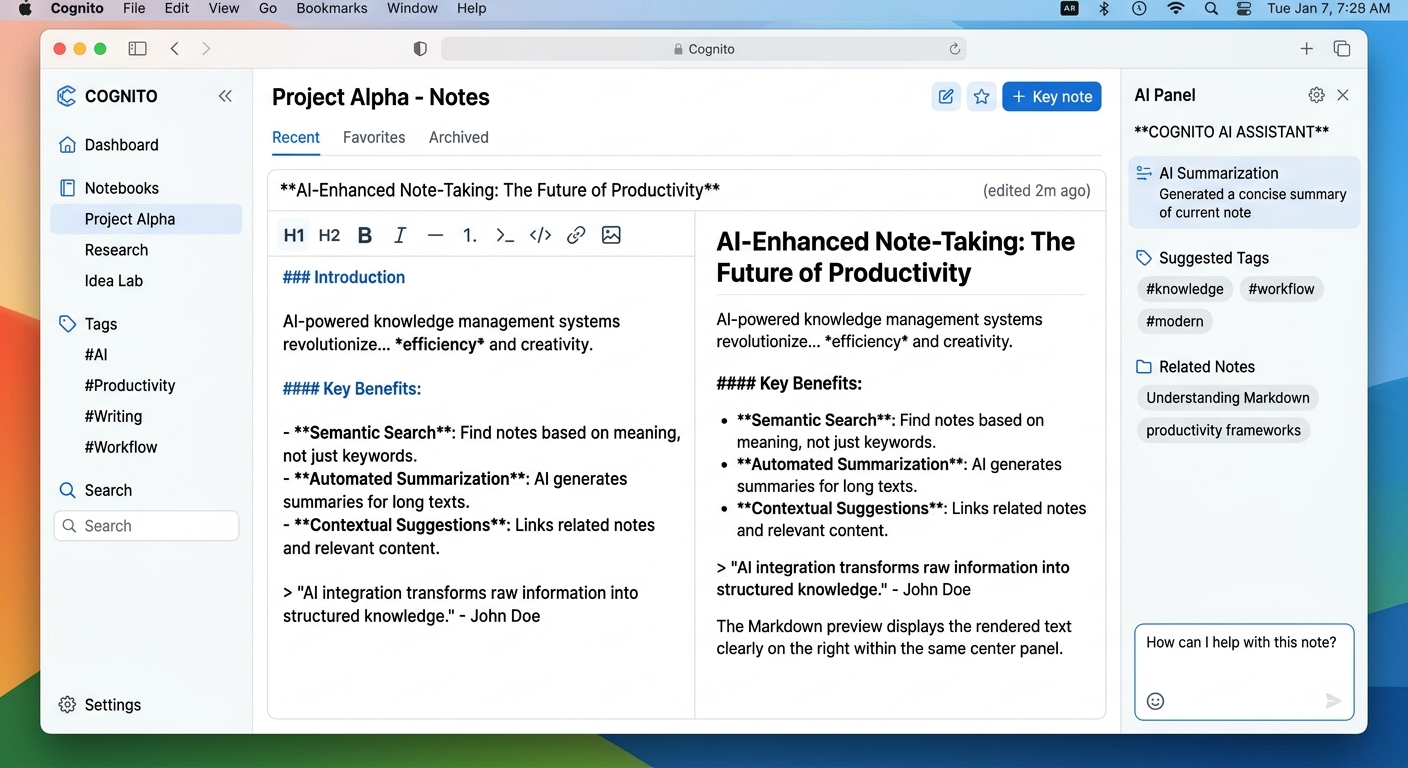
OpenKnowledge (from inkeep, the company behind some well-known AI developer tools) is a WYSIWYG markdown editor that opens local `.md` files. Unlike Notion, there’s no account required to use the core editor — it runs entirely on your machine, with optional git sync for teams.
The twist: AI isn’t bolted on as a chatbot sidebar. It’s woven into the editing experience. You can invoke Claude, Codex, or Cursor directly from within a note, have them edit alongside you, and the whole thing stays in plain markdown under your control.
Key specs:
– macOS desktop app (DMG)
– Windows/Linux via CLI (Node.js 24+)
– Web app via `ok start`
– Local-first: files stay on your machine unless you push to git
– MIT/GPL-3 licensed, 954 GitHub stars
Core Features That Actually Matter
### True WYSIWYG Editing
Most markdown editors show you raw syntax or a half-baked preview. OpenKnowledge renders markdown as you type — think Google Docs, but the output is clean `.md` files. Tables, code blocks, checkboxes, and embeds all render visually but stay as standard markdown underneath.
### Built-In AI Agent Integration
OpenKnowledge ships with MCP (Model Context Protocol) support out of the box. You can connect:
– Claude (via Anthropic API or Claude Code desktop)
– Codex (OpenAI’s CLI)
– Cursor (via its desktop app)
– Any MCP harness — the CLI approach means you can roll your own
This is the part that separates it from the pack. Most note-taking AI tools give you a chat box. OpenKnowledge lets an agent work *inside* your notes, seeing the same context you see, editing the same file you’re looking at.
### Agentic Search and Knowledge Graphs
The product description mentions “LLM Wikis, agent second brains, and knowledge graphs.” Early reviews suggest this is less polished than the core editor, but the architecture is there — you can ask the AI to search across your entire knowledge base, not just the current note.
### Git-Based Team Sharing
No proprietary sync protocol. Your team’s notes live in a git repo. OpenKnowledge handles merge conflicts, branching, and collaboration through the same workflow developers already use for code. For technical teams, this is a massive unlock — no new SaaS to manage.
How It Compares to the Alternatives
| Feature | OpenKnowledge | Notion | Obsidian |
|———|————-|——–|———|
| Local-first | ✅ Yes | ❌ Cloud-only | ✅ Yes |
| WYSIWYG | ✅ Yes | ✅ Yes | ❌ No (live preview) |
| AI integrations | ✅ Deep (MCP) | ⚠️ Basic | ⚠️ Via plugins |
| Team sync | ✅ Git-based | ✅ Native | ⚠️ Obsidian Sync (paid) |
| Open source | ✅ GPL-3 | ❌ | ⚠️ Core is free |
| Price | Free | $10-30/user | $0-8/user |
| Data ownership | Your files | Notion’s servers | Your files |
The honest comparison: Obsidian is still the king of local-first PKM for power users. But Obsidian’s AI story is entirely plugin-dependent and often brittle. OpenKnowledge ships AI integration as a first-class feature, not an afterthought.
Notion’s AI is the most polished per-seat, but you don’t own your data and the pricing adds up fast for teams.
Who Is OpenKnowledge For?
Best fit:
– Developers and technical writers who want AI assistance inside their documentation workflow
– Teams that want Notion-like collaboration without surrendering data ownership
– Power users frustrated with Obsidian’s plugin ecosystem for AI features
– Open source advocates who want to self-host their knowledge base
Less ideal for:
– Non-technical users who need a simple, polished SaaS out of the box
– Teams already all-in on Notion with established workflows
– Users who need offline-first mobile apps (iOS/Android not mentioned yet)
The Open Source Angle
OpenKnowledge’s most compelling pitch isn’t the features — it’s the governance. With Notion and Obsidian, your knowledge base is hostage to a company’s pricing decisions. OpenKnowledge is GPL-3, meaning the code is always auditable and a fork could survive even if inkeep disappears.
For readers of this site — people interested in AI tools — the idea of an AI-native knowledge base you actually own should resonate. This is the same philosophy behind self-hosted AI models versus API-only services.
My Take
OpenKnowledge is the most credible “AI-first, open source Notion killer” I’ve seen ship real code. The 954 stars in under a year tells you something — developers are paying attention.
The killer feature isn’t any single capability. It’s the combination: local-first storage you own, git-based collaboration, and deep MCP/agent integration — all in a clean WYSIWYG editor that outputs standard markdown.
If you’re currently using Notion and frustrated by AI add-ons that feel tacked on, OpenKnowledge is worth a weekend experiment. If you’re an Obsidian power user, watch the project closely — the AI integration story is only going to get better.
Rating: 7.5/10 — Early but promising. The core editor is solid; the AI features are moving fast.
Focus Keyword
`open source Notion alternative`, `AI native knowledge base`, `local first note taking app`, `OpenKnowledge review`
Tags
open-source, Notion alternative, Obsidian, knowledge management, AI tools, local-first, markdown editor, productivity