OpenClaw Mobile App: The Hardest Part Is Not What You Expected
There is a specific kind of friction that shows up in every tool that moves from desktop to mobile, and it is almost never where you expect it to be. OpenClaw, the browser-based AI agent workbench that has been gaining traction among developers and power users over the past year, just released its mobile app for iOS and Android, and the thing most likely to trip people up is not a missing feature or a performance issue. It is the installation process itself, and more specifically, where you go to find it.
If you open the App Store or Google Play and search for OpenClaw directly, you will probably find something, but there is a good chance it will not be the right app or it will be one of several lookalike listings that have accumulated around the keyword. The reliable way to get the actual app is to copy the official store URL and open it directly, rather than trusting a keyword search in an app store that has gotten increasingly noisy around anything AI-adjacent. The official links are listed on the OpenClaw website, and once you have them the process takes about thirty seconds. The problem is that most people do not think to look for the official link first.

Once You Have It Installed, the Value Becomes Clear
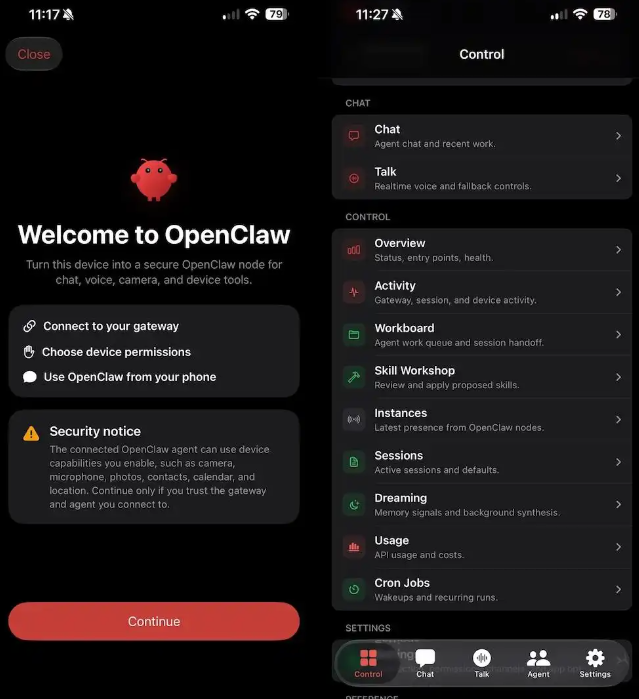
Once you have the app installed, the value proposition becomes clearer than it might seem from reading the App Store description. OpenClaw on mobile is not another chat app to check. It is a mobile window into agent workflows that you probably already have running on a desktop or in a browser somewhere. You can monitor channel activity, check task status, read responses, and handle small items that do not require sitting back in front of a computer. For people who run OpenClaw agents as part of their daily work, this changes the rhythm of how they interact with those agents. You no longer have to wait until you are back at your desk to learn that something in your workflow required attention.
The Real-Time Notification Shift
The difference is subtle but significant. Most mobile apps for collaboration tools are built around the idea that you need to check them. OpenClaw mobile is built around the idea that your agents need to be able to reach you. If a workflow hits an error condition, if a task completes and needs approval, if a channel you are monitoring gets a response from an external service, you get a push notification. You do not have to remember to open the app. The app tells you when something in your workflow needs human attention.
Why Mobile-First Agent Platforms Still Feel Like a Category in Progress
This is not a trivial shift in how these tools get used. Most agent platforms have been designed around the assumption that you are sitting at a computer. The mobile experience has historically been an afterthought, a way to check notifications rather than manage workflows. OpenClaw is trying to move the boundary, but the deeper constraint is that agent workflow design itself is still figuring out what belongs on a phone screen and what belongs on a desktop. The app makes the case that monitoring and light approval tasks belong on mobile. The full workflow construction still belongs on a larger screen.
The Approval Workflow Problem
The specific interaction that works best on mobile is the approval gate. If you have an agent that needs a human to sign off before proceeding, the mobile app delivers that notification and lets you approve or reject from anywhere. That is a real productivity gain for people who run approval-gated workflows. The question OpenClaw is still working through is what else belongs in that mobile surface area, and the answer is probably going to come from watching how people actually use it over the next few months rather than from the initial design decisions.