I used to treat an AI agent like a search engine with a personality. I would open a chat, ask a question, get an answer, and close it. Do that a few times a day and the agent sits idle for the other 23 hours and 55 minutes.
It does not lack capability. The setup is the problem.
A developer named Sharbel on YouTube runs his Hermes agent with 115 skills, three sub-agents, and a full event-trigger system. Every morning at 8am his agent pushes an AI news digest to his Telegram without being asked. Every three hours it scans competitor channels. It assembles research teams, files bug reports, and flags opportunities – all while he sleeps.
He did not get that from a smarter model. He got it from building a system around the model.
Here is how that system works and what I have copied from it.
The Core Idea: Four Trigger Types, Not One
When an agent only responds to me, it is a reactive tool. When it responds to time, events, and goals – it becomes an autonomous assistant.
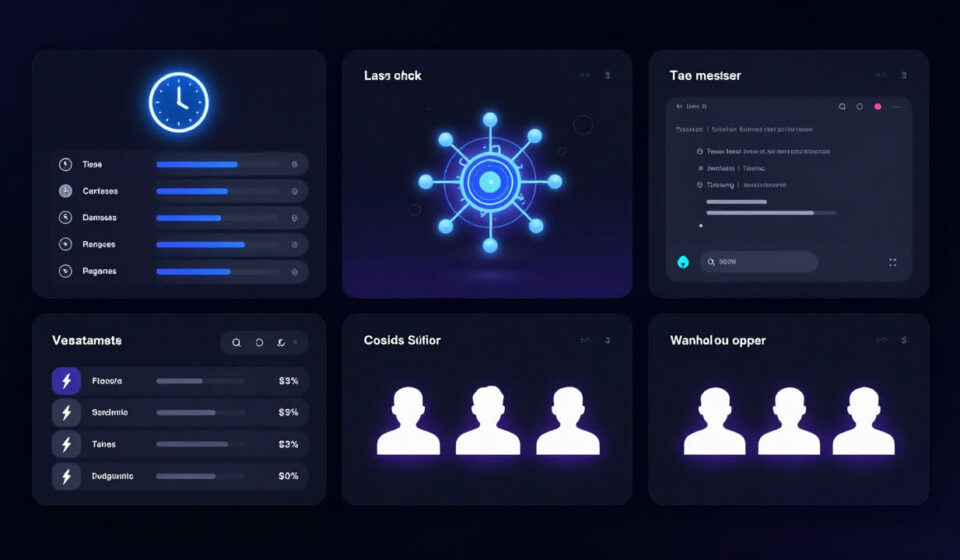
Sharbel architecture covers every activation scenario with one of four mechanisms.
Cron triggers handle time-based work. The agent wakes up, does a task, and delivers results before I ask. This is the highest-leverage starting point.
MissionControl is a visualization dashboard for everything my agent is working on right now. It shows task status, outputs, and logs in real time. I stop hunting through chat history for that one result – it is already on the panel.
/goal commands flip the interaction model. Instead of “search for video topics,” I give the agent a goal – “find three YouTube video ideas that match my channel data, avoid my already-covered angles, and deliver them by Friday.” The agent figures out the steps, finds the data sources, and reports back.
Webhook events make the agent respond to the world changing. A competitor posts a new video. A pull request gets merged. A meeting ends. The agent catches the signal and acts immediately, not hours later when I remember to check.
Sub-agent teams let multiple agents run in parallel, each handling a different data stream. One watches keyword trends. One reads competitor transcripts. One reviews my own performance history. They run simultaneously and feed into a single synthesis.
The four mechanisms do not compete. They stack.
Setting Up Cron: The One Thing To Do First
Sharbel calls Cron “the one operation to start with if you can only do one.”
The pattern is simple. Tell your agent to run a task at a set time, collect results, and deliver them to a channel you already check – Telegram, email, Slack.
Three Cron tasks worth starting with:
A daily morning brief at 8am. The agent searches the past 24 hours for the most significant developments in your field, summarizes each in one sentence, and flags what it means for your current projects. You open your phone and everything is already organized.
A competitor scan every three hours. The agent checks for new content from channels you are tracking, flags anything with unusual engagement signals, and sends a one-line alert if something worth following up appears.
A weekly audit on Friday afternoon. The agent reviews your task backlog, identifies what got stuck during the week, and surfaces the blockers so you can unblock them before the weekend.
Do not mistake this for a news ticker. It delivers decision-support briefs instead. Each item should answer the question: “so what do I do with this?”
The MissionControl Panel
One of the biggest friction points with AI agents is visibility. I send a long-running task, switch tabs, and lose track of what the agent is genuinely doing.
MissionControl solves that. It is a visual dashboard that connects to your agent and displays active tasks, completion status, and outputs in real time. When the agent is processing a video, I watch the progress bar. When it finishes, the result is on the panel – not buried in a chat thread eight screens back.
Sharbel built this as an open-source panel for the OpenClaw ecosystem. You can find it on GitHub at github.com/sharbelxyz/openclaw-mission-control.
The installation is straightforward – point your Hermes instance at the panel and the connection is live. If you are running your agent through WorkBuddy or a similar platform that supports skills, the panel hooks in without additional infrastructure.
This is not a cosmetic upgrade. When you can see what the agent is doing, you stop micromanaging it.
The /goal Command: Making the Agent Own the Outcome
Most people use the agent like a calculator. Input goes in, output comes out, the interaction ends.
The /goal command is different. I define the target and let the agent figure out the path.
Here is the full template Sharbel uses for content research:
Define the result first. Output three video ideas, each with a title suggestion, a 30-second hook for the opening, and a one-sentence explanation of why this topic will perform.
Define the sources. The agent pulls from VidIQ keyword trends, recent high-performing competitor videos, your channel historical data, and your own memory bank of past content.
Define the constraints. Exclude already-covered angles. Do not use clickbait structures. Every idea must have data backing it up – not a gut feeling.
Define the delivery. One document, stored in your Notion content board, ready for production review.
The /goal command forces the agent to think in steps instead of executing one instruction and stopping. That is the difference between an agent that does a task and an agent that owns a project.
There is a useful meta-pattern worth knowing. Ask the agent to write the /goal command for you. You say “I want to use /goal but I am not sure how to phrase my objective.” The agent asks you clarifying questions – what is the goal, what are the constraints, what does success look like. You answer, and it assembles a properly structured /goal command. You review and approve.
Webhooks: Acting on the World, Not Just Your Input
Cron triggers fire because time passed. Webhooks fire because the world changed.
The practical difference matters in responsiveness. A competitor releases a video. With Cron, my agent might catch it three hours later. With a webhook, it triggers in seconds.
The webhook scenario Sharbel uses most: competitor video analysis. When a tracked channel publishes new content, the webhook fires and the agent runs a three-step process.
First it pulls the video title, description, and transcript. Then it checks your content database. If you already have a similar angle in production, it returns a link to your existing plan. If the topic is new and the engagement signals are strong, it returns a recommendation to pursue with a differentiation angle. If the topic is a short-cycle engagement play with weak staying power, it marks it ignorable.
The result goes to Telegram. You wake up knowing which videos to study and which to let go.
This pattern extends beyond video. A new client inquiry triggers a background check – company news, industry coverage, hiring signals – assembled into a brief before your first call. A pull request merged triggers a test run and a changelog generated and relevant team members notified. A meeting ending triggers transcript processing, key decisions extracted, and action items written to your task board.
Speed is not the point. The agent removes the need for you to be in the loop.
Sub-Agent Teams: Running Three Agents in Parallel
Sharbel runs three sub-agents simultaneously for content research. One monitors keyword trend signals. One reads competitor video data and transcripts. One reviews his own channel historical performance and memory bank.
They run independently, each focused on its data stream. When all three finish, their outputs feed into a synthesis agent that produces a single content recommendation document.
The efficiency gain is not just about speed. Three agents running in parallel finish in two minutes instead of six. More importantly, each agent stays in its lane. The keyword agent does not get distracted by a competitor’s thumbnail choices. The historical data agent does not hallucinate patterns from a competitor engagement spike.
The permission model matters here. Different agents get different access levels based on what they need. A content agent might get full YouTube API access. A calendar agent gets read access to your schedule and write access to your task board, but anything it writes goes to a review queue before it publishes.
Sharbel rule: the more sensitive the data an agent touches, the more oversight it needs before it acts on your behalf.
Start with two agents before you build a team. One primary agent handling your core output. One sub-agent handling information gathering. Get that loop solid before adding more.
Why This Is Not About Adding More Skills
The instinct when reading about a system like this is to try to build everything at once. Add 20 skills, configure four webhooks, spin up three sub-agents, and wire it all to MissionControl.
That is how people end up with a half-built system and no patience to finish it.
Sharbel has 115 skills, but that is the result of two years of incremental addition. The rule is straightforward: any workflow you find yourself explaining to the agent twice becomes a skill. Write a rough version first. Run it a few times. Fix what breaks. Do not try to design the perfect skill on the first pass.
Start with one Cron task. One. Make it something you genuinely want to see every morning. Run it for three days and feel the difference between opening your phone to an already-prepared brief versus building it yourself.
Then add the second.
The system compounds. The first Cron task teaches you how the agent thinks. The /goal command teaches you how to scope objectives. The webhook teaches you how to handle event-driven responses. Each addition builds on the last.
What It All Means
Your agent is not lazy. It is waiting.
Give it a schedule and it delivers before you ask. Give it a goal and it owns the path to the result. Give it event triggers and it catches what you would otherwise miss. Give it a team and it handles volume you could not staff.
The model does not determine what your agent can do. The workflow around it does.
Set up one Cron task this week. Pick something you currently spend time gathering manually. Tell your agent to build it and deliver it tomorrow morning. Run it for three days before you add anything else.