Most AI Agents Are Useless. This Framework Changes Everything
The first time you open an AI Agent, you probably spend 20 minutes poking around, then quietly close it.
“Isn’t this just Claude in a different window?”
That reaction is more honest than you might think. And it is not about the Agent itself. It is about what you plugged into it.
Think of an AI Agent as a brain in a jar. Brilliant, fast, conversational — but completely disconnected from your actual life. It can tell you what you ask. It cannot do anything with what it knows.
The integrations you connect are its senses and limbs. The more you add, the more it can actually do for you.
That framing comes from a setup that is quietly becoming the standard for developers who run AI Agents in production: four categories of tools, twelve carefully chosen integrations, and workflows that make a chat interface feel like a coworker.
The Four-Thing Framework
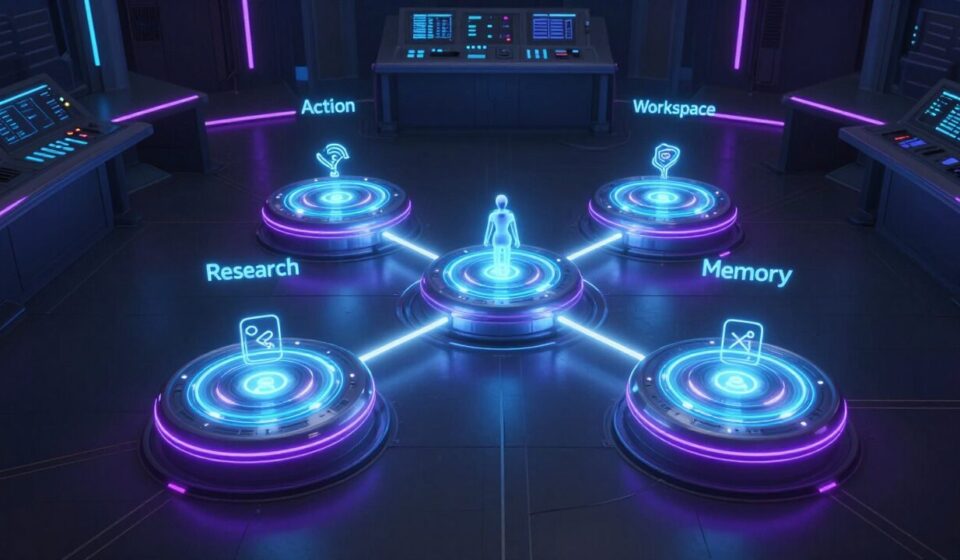
Any genuinely useful Agent configuration does four things, without exception:
Research — Give the Agent eyes and ears so it finds information on its own.
Action — Give it hands and a voice so it operates in the real world.
Workspace — Let it live inside the systems you actually use.
Memory — Give it a long-term brain so it never forgets what it has read, learned, or done.
Miss one category and your Agent is blind in that direction. Stack all four and you will start wondering how you ever worked without one.
Task 1: Research — Give the Agent Eyes and Ears
The default Agent can reason but cannot discover. It waits for you to paste context. Research integrations change that.
Firecrawl handles web search specifically optimized for Agent workflows. It returns cleaner data than a general search, responds faster, and consumes fewer tokens. If your Agent needs to look something up, this is the layer that makes it possible.
Reddit is the closest thing to unfiltered public opinion at scale. When evaluating a product, a brand, a feature idea — five minutes on Reddit tells you whether real users are quietly complaining about something. No polished marketing copy. No curated reviews. Just people being honest.
YouTube Subtitles turns video into searchable text. Long-form content — tutorials, conference talks, podcasts — becomes instantly accessible. Paste a video URL, ask your Agent what it covers, and get an answer without watching anything. This is a high-leverage integration that almost nobody connects.
Task 2: Action — Give the Agent Hands and a Voice
This is where the Agent stops being a sophisticated search engine and starts being an operator.
Browserbase provides real browser access. It can log into websites, click through forms, and reach pages that block scrapers. Combined with Firecrawl, your Agent now has two different ways to read the web and picks the right one based on the task.
Bland (or Twilio) gives your Agent a phone number. It can make and receive calls. The practical use case is appointment booking, restaurant reservations, anything where you need a real voice interaction but do not want to be on the call yourself. Most people find the call recordings unexpectedly entertaining.
Stripe connects payments, customer records, failed charges, and refunds. You can ask your Agent why a customer churned and get a real answer backed by actual billing records. Stripe is also rolling out Agent-initiated payments, which means your Agent may soon be able to make purchases directly on your behalf.
Task 3: Workspace — Where You Actually Live
This category is about letting the Agent into the systems that run your actual work. Without it, your Agent can discuss your job but cannot touch or fully understand it.
Google Workspace covers Gmail, Calendar, Drive, Docs, and Sheets in one integration. Non-negotiable. If your Agent cannot read your inbox or write to your documents, it cannot genuinely work for you. Get this connected first.
Discord is where many builders run their communities. A Discord integration lets the Agent post into specific channels, each running a different workflow. One practical pattern: the Agent scans support emails each morning, categorizes tickets by issue type, prioritizes them, and drops a clean report into the relevant Discord channel.
GitHub turns your Agent into a junior engineering teammate. It can open pull requests, review code, and triage issues. If you write software and are not using this, you are leaving the single highest-leverage integration on the table.
Task 4: Memory — A Long-Term Brain
Without memory, every conversation starts from scratch. This category fixes that.
Readwise solves the “dead knowledge” problem. Highlights from books, articles, research papers — they live in forty-seven different PDFs and apps and never surface again. Readwise brings them into one searchable place and keeps them alive.
Granola transcribes meetings and makes them searchable. When a client asks about something they mentioned three weeks ago, your Agent can find it in seconds.
Obsidian for users who keep a personal knowledge base: the Agent can read your entire vault, surface connections you have forgotten, and pull in relevant notes during conversations.
Where It Gets Interesting: Stacking Them
Individual integrations are useful. Stacked integrations are transformative.
Consider what a real workflow actually looks like when three or four of these work together.
Sponsor filtering: When someone reaches out about a sponsorship, the Agent automatically reads their website via Firecrawl, scans Reddit and YouTube for real discussions about the company, and generates a one-page evaluation report in Discord with an audience-fit score.
Support triage: Every morning, the Agent scans Gmail for support emails, categorizes by issue type, prioritizes by volume, and drops a report into the support Discord channel. Weekly, it generates a summary in Obsidian flagging the five root-cause issues that keep appearing.
Weekly business snapshot: Monday morning, the Agent pulls revenue, new subscriptions, refunds, and churn data from Stripe, scrapes social growth numbers via Browserbase, and posts a week-over-week comparison report to Discord. Ten seconds to read instead of an hour jumping between dashboards.
Each workflow uses three or four integrations working in sequence. One integration alone cannot do this. The power comes from stacking.
How to Connect These (10 Minutes)
You do not need to read documentation. You do not need to configure files manually.
Open your Agent and type something like: “Help me connect my Gmail.”
It will walk you through the OAuth flow, API key setup, or MCP configuration — whatever the tool requires — and confirm when it is working.
After connecting, test immediately with a question only that tool can answer: “What is on my calendar today?” “Find the last email from this client about the contract.” “Show me the five most recent failed Stripe charges.”
If the answer is clean and specific, the integration is live.
Then stack. Two tools is useful. Twelve tools is when the workflows above actually run on their own.
When your Agent completes a task for you that it genuinely could not do an hour earlier — that is the moment the chat interface falls away and what remains is something closer to a colleague.