Release notes are written by people who have to ship something. That gap between what actually works and what gets announced is exactly why I started paying attention to Hermes, and version 0.18.2 is worth a closer look.
The Theme: Background Delegation is Now the Default
Before the feature list, one architectural decision sets the tone for this release. Tasks that used to block your chat session now run autonomously the moment Hermes detects sufficient complexity. You do not flip a switch. You do not type a special command. You give it a real task and it decides. That is the thread running through everything below.
iMessage Without a Mac
Hermes connects to iMessage through Photon Spectrum, a relay service that handles the Apple ecosystem complexity. Setup takes three steps: run hermes photon login, authenticate via browser, done. Your iPhone gets a dedicated AI number. Contacts text it, Hermes replies.
The use cases are honest ones. Research queries during a commute. Quick lookups when you are away from your desk. Family coordination. The output comes back formatted, not a raw chat dump. If your workflow lives in text messages, this part of the release notes is worth reading twice.
Multi-Window Finally Works
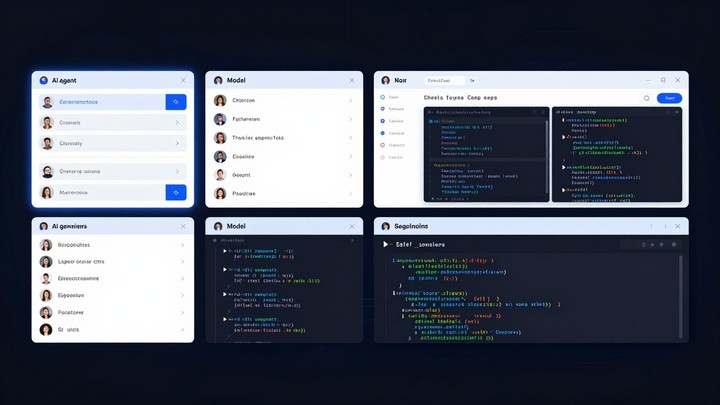
Any conversation in the sidebar can be popped into its own independent window. Right-click, select New Window. Each window is fully separate from the others, each with its own model selector, each maintaining its own context.
Power users will recognise why this matters immediately. Run one instance for coding, another for research, a third for drafting. No more alt-tabbing to a shared session and losing your place. The feature should have existed on day one, but the implementation here is solid.
Background Agents Actually Work in Practice
The old model: give Hermes a complex task, watch it struggle in-line, lose your place in the conversation. The new model: give it a complex task and it immediately fans out to background agents. You keep working. Results roll in when they are ready.
There is a live Agent Tree panel showing every active sub-agent: what command it is running, which tools it is using, what it is currently focused on. You can inject new requests mid-flight. Add a forgotten item to the research list without cancelling anything in progress. The transparency is genuine, not theatre.
Profile Management Via Browser
Previously, editing ~/.hermes/profiles/<name>/config.yaml was the workflow. Now hermes dashboard opens a web interface. Name a profile, pick a model, attach skills. Done in seconds.
The Skills Hub browser interface also upgraded. Browse community skills, see security scan results per skill, and the Curator background process auto-retires stale skills while keeping backups.
Unreal Engine 5.8 Control
The creative standout in this release. Hermes MCP now supports Unreal Engine 5.8 via Automation Bridge. Setup is one command: hermes mcp add, select Unreal Engine from the Nous-reviewed MCP directory, done.
From chat you can generate 3D scenes with actors placed automatically, configure lighting and materials, run automated tests inside the engine, create and edit Blueprints, and export project builds. Three.js is a lightweight browser engine. Unreal Engine is production-grade, capable of first-person shooters and architectural visualisation. Controlled entirely through conversation. That is a different proposition.
After each MCP session, Hermes automatically updates its own skill files with new patterns, edge cases, and verified steps. The agent gets better at using the tool the more you use it.
The /learn Command and Persistent Skills
Run /learn "task description" and Hermes converts any workflow into a reusable, persistent skill file stored in ~/.hermes/skills/. Each skill includes trigger conditions, step-by-step instructions, known pitfalls, and cross-references to related skills.
The format is plain Markdown. Human-readable, human-editable. Skills reference each other, forming a growing knowledge network that persists across sessions.
The /journey command gives you a timeline of how the agent has evolved. Every skill it built, every capability it added. You can view it as a radial timeline in the desktop app, edit entries, or delete ones that are not useful anymore.
Mixture-of-Agents as a First-Class Model
MoA was previously a mode you could enable. In v0.18.2, every named MoA preset appears as a selectable model in every interface: CLI, TUI, desktop, gateway. Pick it the same way you pick Claude or GPT-5.
When it runs, you see the deliberation, not just the verdict. GPT-5’s reasoning renders as one block, Claude’s as another, Grok’s as a third. The aggregator synthesizes them into a final answer. You watch a committee actually disagree and reconcile. For anyone skeptical of single-model outputs, this is a fundamentally different trust model.
Completion Verification
The difference between “I think I fixed it” and “tests passed, here is the evidence.”
Run /goal "criterion" and Hermes treats your completion criterion as a contract. After executing the task, it runs verification checks before marking it done. Pre-verify hooks let you define custom validation logic.
For production workflows, knowing a task is complete because the evidence says so rather than because the agent feels done is not a small thing.
Other Additions Worth Knowing
Google Vertex AI provider: authenticate via GCP service account with automatic OAuth token refresh, no static API keys. Cursor Composer model: xAI Grok subscribers can use Composer as a fast coding model. Desktop app has proper project management now: codebase sidebar, coding rail, review pane, git worktree management. Production Gateway makes scale-to-zero and drain coordination actually work for hosted deployments.
The 10x cheaper self-evolution mechanic routes post-turn evolution to an auxiliary model, cutting self-improvement costs by 90 percent. Desktop pets now have 3,000 plus styles and react to agent state. Whether you want that is a personal question.
How to Upgrade
For existing users: run hermes update or pip install -U hermes-agent. Desktop users get an auto-update notification. Before upgrading, back up your ~/.hermes/ directory and export your profile configs. Check the official migration guide for breaking changes.
What This Release Actually Means
The gap between “AI tool” and “AI colleague” is not metaphorically closing. Background agents that actually run in the background, evidence-based completion criteria, skills that persist and improve across sessions, and Unreal Engine controlled through conversation. Taken together, this release is an architectural statement about where agent frameworks are heading.
Whether you are running one agent or orchestrating a dozen, 0.18.2 is worth your attention.