–
Every AI agent project hits the same wall eventually. Your prompts grow bloated, context windows run dry, and that clever workflow you spent three hours crafting turns out to be impossible to reuse on the next task. Skills were built to solve exactly that.
What Exactly Is a Skill?
Skills first appeared in Anthropic’s Claude Code, where they were described as reusable capability packages. Each one bundles together documentation, scripts, and reference material so a model can perform reliably on specific tasks , writing Excel reports, building presentations, handling brand copy, running internal processes.
The anatomy is simple: a name and description (metadata), execution instructions (the actual logic), and optional resources like scripts or templates. They live in plain folders, which makes them easy to share, audit, and version control. Unlike a wall of prompt text, a Skill is a discrete, composable unit. You can stack them together to build complex workflows without rewriting the same instructions every time.
WorkBuddy is an AI desktop productivity platform developed by Tencent, a major Chinese AI company. Positioned as an AI agent workstation for professional environments, it goes beyond chatbot-style interactions by understanding natural language commands and directly manipulating local files on your computer to automate report generation, data organization, and other practical workplace tasks. In this deep-dive, we are going to walk through every step from creating your first Skill to leveraging its self-evolution mechanisms.
The Three-Layer Loading System
Among the most thoughtful design choices in Skills is how they load. WorkBuddy uses progressive disclosure , the system does not dump everything into context at once. Instead, it loads in three stages.
First, metadata (name and description) loads always. This lives in the system prompt from startup, taking up almost no context space, and tells the model what capabilities it has access to at any moment. Second, when the model decides a specific Skill is needed, it loads the full SKILL.md file , the actual step-by-step instructions. Third, if the skill includes scripts or other resources, those load on demand when the workflow reaches that step.
The result is a system that stays flexible without burning through your context window on tasks that do not need a full skill library.
Installing Skills from the Connector Marketplace
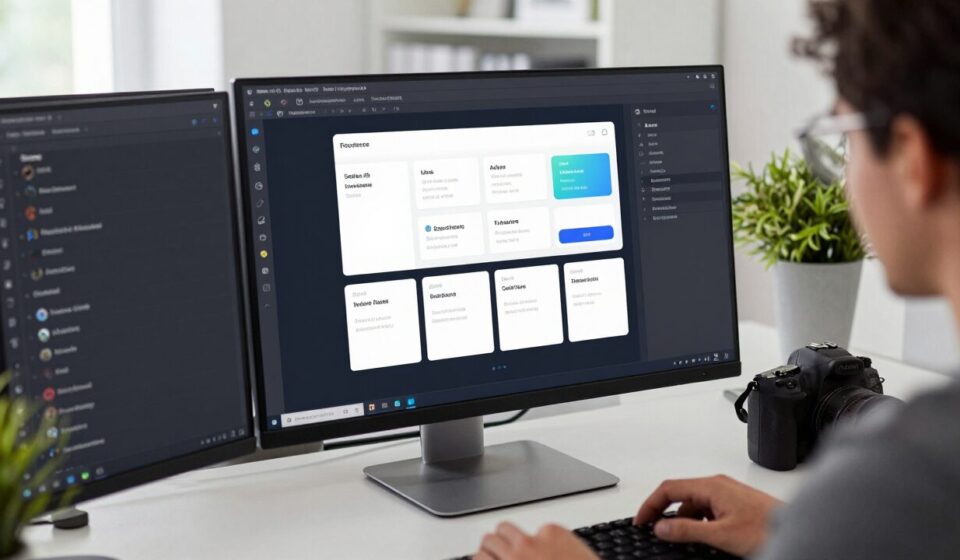
WorkBuddy ships with a built-in connector marketplace. Navigate to Expert, then Skills, then Connectors. You will see a list of available skills with an install button next to each one. Click the plus icon in the top right corner to add any of them to your system. Once installed, they are immediately available in any conversation.
If you have a skill package as a ZIP file , perhaps shared by a colleague or downloaded from a community , you can upload it directly. WorkBuddy also lets you search the marketplace for specific capabilities by asking the AI to find and install one for you.
There is a catch worth knowing: ZIP uploads skip the safety validation step. Only install community packages from sources you trust.
Creating Your First Skill
WorkBuddy includes a built-in skill creator. When you click Create Skill, it launches the system using a built-in skill called skill-creator. Think of it as a scaffolding engine , it reads its own SKILL.md and follows a precise template to generate a complete skill directory for you.
A standard skill has four components.
SKILL.md is the required core file. It holds YAML frontmatter (name and description) at the top, followed by Markdown instructions that tell the model when to activate the skill and exactly how to execute it. The scripts/ folder is optional but useful for tasks that need reliable, repeatable execution , rather than relying on the model to generate correct code each time, you point it at a script. The references/ folder holds supplementary material that loads only when needed, keeping the main file lean. The assets/ folder stores templates, images, and other output materials.
The skill-creator also includes three utility scripts: init_skill.py generates the folder structure from a template, quick_validate.py checks that your SKILL.md is properly formatted before packaging, and package_skill.py bundles everything into a ZIP for sharing.
After you finish creating a skill, it is ready to use immediately. You can also download it as a ZIP to share with teammates or the community.
The Four-Tier Skill Hierarchy
Skills in WorkBuddy are scoped to different levels. User-level skills are the most common , you create them and they are available across all projects and experts. Expert-level skills are scoped to a specific expert configuration. WorkBuddy creates these automatically when you enable skills for a given expert. System-level skills are baked into the application itself, and project-level skills live in individual project directories. If you need to create a skill at a specific scope, you do it by placing the folder in the appropriate directory.
How Skills Execute in a Conversation
When you mention a skill by name or the model decides one is relevant, WorkBuddy loads the skill into the conversation using a dedicated skill tool. The system prompt lists all available skills with their names and trigger descriptions, so the model knows what it has access to. When activated, the model reads the full SKILL.md and follows its instructions exactly , including calling any scripts defined in the scripts/ folder.
This is what makes Skills in essence different from freeform prompting. The execution path is written into the skill definition. The same user input reliably produces the same output, every time.
The Self-Evolution Loop
Here is where WorkBuddy goes beyond simple skill storage. The system is designed to evolve. When the model completes a complex task, it does not just return the result , it asks whether this task should be saved as a new Skill for future reuse. When an existing Skill is used, the model checks whether any steps are unclear, whether tool names have drifted, or whether the workflow could be tighter. If improvements are found, it updates the Skill on the spot.
Every real task execution becomes a feedback loop that makes the skill library more accurate. The longer you use WorkBuddy, the more your skill library reflects actual verified workflows rather than best guesses.
That is the core promise of Skills, and it is a legitimate one. They take the hard-won lessons from running real tasks and turn them into reliable, repeatable infrastructure. You are not just using AI , you are building a knowledge base that gets smarter over time.