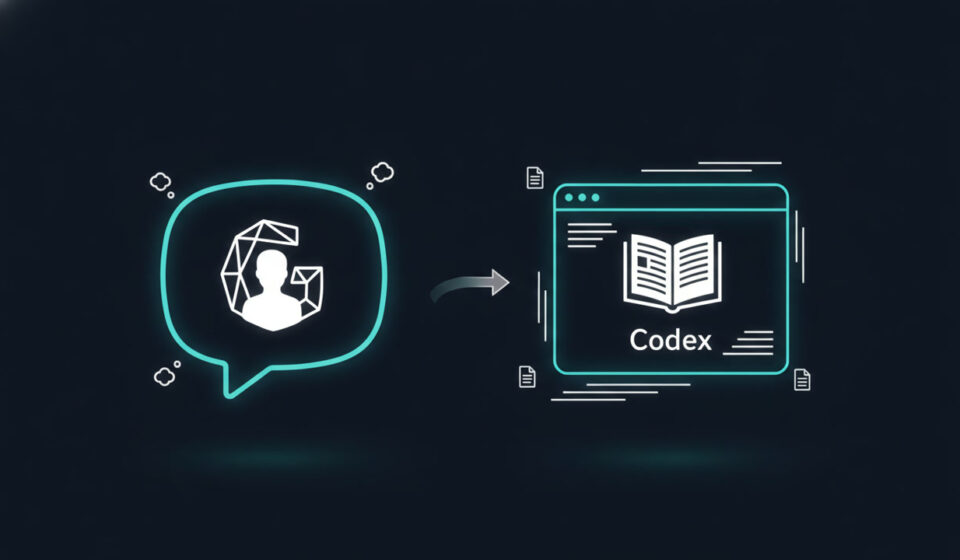
GPT Thinks First, Codex Executes After: The Smarter AI PPT Workflow
There is a question that comes up constantly among professionals looking to create presentations with AI. If you already have ChatGPT, why bother with Codex?
It surfaces most often when people are working on something real. A report. A presentation. A document that needs to exist outside a chat window.
ChatGPT will write your headlines. Outline your sections. Smooth out your sentences. It feels like that covers everything.
It does not.
The Gap Nobody Warns You About
You open ChatGPT. Describe your project. Get something that looks like a solid start. Headlines are good. Outline makes sense. You feel productive.
Then you open your files.
Word document. Spreadsheet with last quarter’s numbers. Meeting notes from three weeks ago. You need to fit all of this into a ten-slide deck. The old deck has a style you need to match. One page needs a chart. Another has too much text. A third is basically empty.
The ideas from ChatGPT were useful. But they are not getting you to a finished deck.
That is when it becomes clear. ChatGPT answered the thinking problem. What you still need is someone to sit down with your materials and actually build the thing.
That gap is where Codex works.
ChatGPT: Where the Thinking Actually Happens
If you have a vague idea and not much else, ChatGPT is where you start.
You might only know: I have a review due next week. I want to build a project recap deck. I have a pile of notes I need to turn into something presentable.
Do not open a blank slide template yet.
ChatGPT excels at the upstream work. Hashing out the direction. Laying out a structure. Sharpening the core argument. Deciding what to cut.
Before you touch a single slide, ask ChatGPT these questions:
- Should I lead with the conclusion or the background for this audience?
- What is the single most important message this deck should communicate?
- I have five documents. Which material actually belongs in the presentation?
- What would I cut if this had to be three slides instead of eight?
These are thinking questions. ChatGPT handles them well. Settling these first is what separates a focused deck from a scattered one.
Codex: Where the Work Actually Gets Done
Here is where most people stop. They have their outline. Their talking points. They feel ready.
Then they sit down with their materials and realize the actual work is just beginning.
The documents do not just need to be read. They need to be sorted. Assigned to slides. Reformatted to match the existing style.
Someone has to decide which page gets the chart. Which page gets the short paragraph. Someone has to catch the missing conclusion on slide seven. Someone has to turn a pile of loosely related materials into a coherent draft.
Codex does not give you a list of suggestions. It works alongside your files, your existing templates, and your target format.
You give it the task and your materials. It processes them, structures them, and produces a working draft you can review and revise.
That is a fundamentally different output than what ChatGPT produces.
Why PPT Makes This So Obvious
Using AI to create presentations has a natural two-phase structure.
Phase one is thinking. You are working out the narrative. Does the logic flow? Are the key points in the right order? Does each slide have a clear job? What gets cut?
Phase two is execution. You are fitting content into slide formats. Maintaining visual consistency. Handling multiple source files. Turning a rough outline into something a real audience will see.
ChatGPT owns phase one. Most people stall in phase two. That is where Codex changes the workflow.
The Three Mistakes Beginners Make
Mistake one: starting with Codex before the thinking is done.
Jumping straight to “build me a presentation” without a topic, an audience, or any source material is how you end up with a polished deck that says nothing. Even twenty minutes with ChatGPT first will get the brief straight before anyone touches execution.
Mistake two: staying in ChatGPT once the thinking is done.
This one is harder to recognize because ChatGPT feels productive. You are getting feedback, refining headlines, expanding sections.
But if you already have a structure, source materials, and a clear direction, you do not need more thinking. You need someone to push the work forward. Staying in the chat at this point is where projects go to die.
Mistake three: treating a presentation like a text answer.
A presentation is not a document. It is a deliverable. It needs to be readable, presentable, editable, and compatible with your existing files.
Getting a well-written summary from ChatGPT is useful. Getting a working draft from Codex is what actually finishes the project.
The Workflow That Actually Works
The best AI presentation workflow I have found works in two clear steps.
First, ChatGPT. Have it assess the brief, suggest a structure, identify what to cut, clarify the slide headlines, and produce a clean task brief. Do not rush this phase.
Then, Codex. Give it the task brief from ChatGPT along with your source files and existing templates. Ask it to read your materials, plan the slide structure, build a working draft, and flag what is still missing.
The combination removes both failure modes. You are not stuck in planning mode forever. And you are not starting execution before you know what you are building.
A Template You Can Use Right Now
Start with ChatGPT:
- I need to build a presentation on [topic] for [audience].
- I have these materials: [list files or notes].
- Do not write the full content yet. First, help me with: what is the single most important message, what structure makes the most sense, what should be cut, and what does a clear task brief look like for handing this off to a tool that will build the deck?
Then hand it to Codex:
- Read the materials below. Use the task brief to build a working presentation draft.
- Here are my source files: [describe or attach].
- Requirements: first show me the slide plan before you start building. Build a complete draft I can open and edit. Tell me what is still missing when you are done.
Try this on something low-stakes first. A small project where you already know the material but keep avoiding the actual build.
Run the sequence once. Notice where it stopped feeling stuck.
If you are serious about using AI to create presentations efficiently, this ChatGPT and Codex workflow is the most practical starting point available right now.