Obsidian Has Become Something Different. The Plugins Are Why.
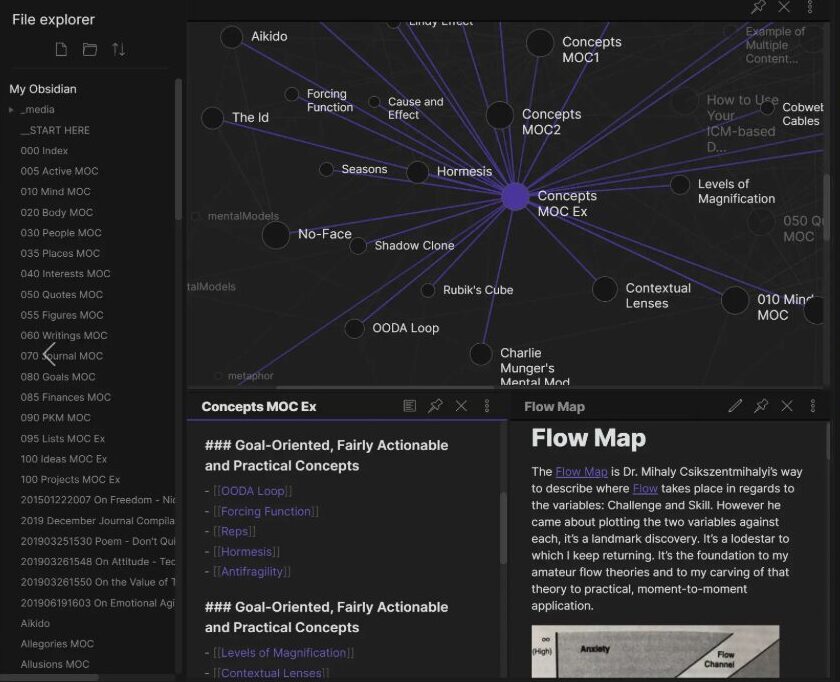
There is a version of Obsidian that most people start with and a version that the people who have been using it for two years live in, and the gap between those two experiences is wider than almost any other tool in the productivity space. The starting version is a note-taking app with Markdown support and some linking features. The advanced version is a knowledge operating system that can query your entire library, run AI models against your own thinking, and automate the kind of information workflows that used to require custom-built tools or expensive SaaS subscriptions. The bridge between those two versions is plugins, and specifically the cluster of AI-adjacent plugins that have accumulated in the Obsidian ecosystem over the past eighteen months.
The numbers behind this are worth sitting with before getting into the specific tools. Obsidian now has over 2,700 community plugins, with more than 100 of those specifically focused on AI integration or AI-adjacent workflows. The official Claude Skills for Obsidian, published by the CEO of the company that makes Claude, picked up over 12,900 GitHub stars in its first three months. That is not a small community project number. That is a signal that something real is happening at the intersection of local note-taking and large language models, and it is happening fast enough that the gap between what people think Obsidian is and what Obsidian can actually do has gotten wide enough to be worth writing about.
Smart Connections: The Plugin That Actually Reads Your Vault
The most impactful single plugin for people who want AI to actually read and reason across their notes is called Smart Connections, and the name undersells what it does. It runs a full RAG retrieval pipeline against your entire vault, which means you can ask questions in natural language and get answers that are grounded in your own notes rather than general knowledge. If you have been maintaining a Zettelkasten or any kind of linked note system for more than six months, you have probably hit the problem where you have a thought, and you know you wrote about it somewhere, but you cannot remember which note it was in. Smart Connections solves that problem.

How RAG Works Inside Your Vault
The retrieval approach matters because it is not just keyword search. When you ask a question, the plugin retrieves the most relevant notes based on semantic meaning, not just word frequency. If you wrote about “the way LLMs hallucinate details in technical documentation” in one note and “citation accuracy in AI-generated research summaries” in another, a query about AI factuality will surface both, even if they use different vocabulary. That is the difference between search and retrieval, and it is the difference between a plugin that saves you time and one that surfaces knowledge you forgot you had.
The Claude Skills Plugin: Running Claude Code Sessions Inside Obsidian
The official Claude Skills plugin, published by Anthropic CEO Marc Ormond, is a different kind of integration. Rather than querying your existing notes, it lets you run full Claude Code sessions inside Obsidian, which means you can have an AI agent that has context of your entire knowledge base working on tasks you define. The use cases people describe most are knowledge synthesis, where you point Claude at a folder of notes and ask it to find the patterns or contradictions across them, and writing assistance, where the model reads your existing notes on a topic and helps you write new notes that fit the structure you already have.

What Makes This Different From ChatGPT With Your Files
The local processing aspect changes the privacy equation significantly. When your notes never leave your machine and the API calls go directly from your computer to the model provider, you have a different risk profile than uploading everything to a third-party service. For people who use Obsidian for work notes, client notes, or anything sensitive, that distinction matters more than it does for personal users.
The Plugin Ecosystem Is the Product Now
What is worth taking away from spending time with the Obsidian plugin ecosystem in 2026 is that the base application has become a platform in a way that its original designers probably did not intend. The note-taking is still good. The Markdown support is still clean. But the thing that makes Obsidian worth switching to, for a specific kind of user, is the plugin ecosystem, and specifically the AI-adjacent plugins that have turned a local knowledge base into something closer to a personal research assistant that runs on your own hardware.
The gap between those two experiences is not going to close on its own. If you are still on the first version of Obsidian, the second version is one plugin away.