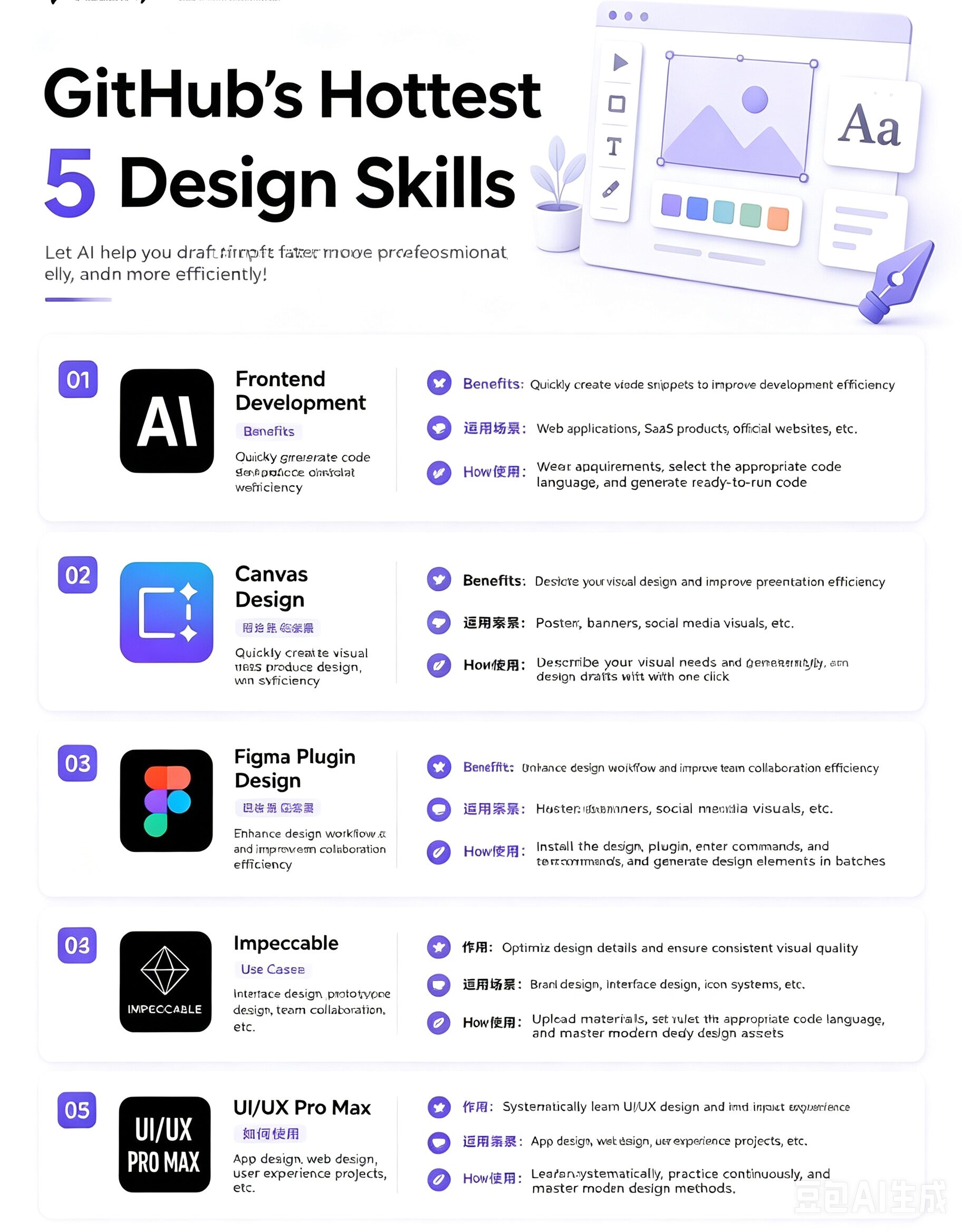
5 AI Design Skills Exploding on GitHub That Every Designer Needs to Know
If you spend any time on GitHub lately, you have probably noticed something shifting. Designers are not just lurkers there anymore. A new breed of AI-powered skills – structured prompt systems that tell an AI exactly how to generate design output – has been accumulating stars and forks at a pace that makes most developer tooling look slow.
The appeal is straightforward. A skill is essentially a pre-built prompt template that handles the heavy lifting: it knows what information to feed the AI, in what order, and how to interpret the result. Instead of wrestling with a blank canvas or spending twenty minutes coaxing a chatbot into producing something usable, you hand the skill a brief and get a workable first draft back.
Here are five that are getting serious attention right now.
Frontend Design
Frontend Design does one thing well: it generates complete web page layouts fast. Landing pages, SaaS dashboards, marketing sites, admin interfaces – it handles them all without opening Figma first.
I started using it by giving it a short brief: what the page needs to do, who the audience is, what the primary call to action is. The AI returned a structured HTML/CSS layout with semantic markup and a design system already baked in. Was it pixel-perfect? No. But the structure was there – the grid, the spacing logic, the component hierarchy – and that is the part that normally takes the longest to get right.
For designers who work closely with developers, this skill closes a gap. Instead of handing off a static mockup and hoping the developer guesses the spacing correctly, you hand them CSS Grid and Flexbox rules already applied. One less round trip.
Mobile App UI Design
Mobile App UI Design follows the same idea for phone screens. Give it a screen description – login, profile, product detail, whatever – and it produces a structured mobile layout with typical iOS or Android patterns already in place.
The real selling point here is speed for early-stage validation. I used it when I needed to show a product direction to stakeholders before committing to a full design sprint. What would have taken a day took twenty minutes. Designers who want to test five navigation approaches before settling on one get the same benefit. This is not about replacing UI craft. It is about getting the rough shape of an idea out of your head and into something you can look at.
One caveat: the layouts lean toward generic. If your product has a strong visual identity, expect to override a lot of defaults. For MVPs and internal tools, it saves real time.
Baoyu Design
Baoyu Design is the outlier on this list. While the others output code, this one generates visual compositions – color-blocked layouts, typography-driven posters, platform-optimized assets for Instagram, LinkedIn, or Twitter.
I tested it on a small campaign brief. The output was usable but required editing – AI image generation still struggles with specific branding requirements. Where it shines is helping content teams that need a steady flow of visual material without a dedicated designer. It handles the structural decisions – hierarchy, layout, typography pairing – so you are not starting from a blank canvas every time.
UI/UX Pro Max
UI/UX Pro Max is not a generation tool at all. It is closer to a design knowledge base with an AI interface.
It covers the full breadth of interface design: component patterns, interaction conventions, accessibility standards, navigation logic, and UX research principles. When I got stuck on how to handle empty states, or whether to use a modal versus a drawer, this skill retrieved relevant patterns and explained the tradeoffs behind each approach.
For designers still building their foundations, this is the most useful skill on the list. For senior designers, it is a faster alternative to digging through a dozen Medium articles or scrolling through Dribbble shots to find the right pattern. Think of it as a senior designer you can ping at two in the morning.
Web Artifacts Builder
Web Artifacts Builder generates individual UI components instead of full pages. Buttons, forms, navigation bars, cards, modals, page sections – you name the component, it builds it.
This is the most granular of the five, and that granularity is the point. When I needed one specific thing fixed and did not want to regenerate an entire page layout, this skill let me target the problem directly. The output tended to be clean, semantic HTML and CSS that fit into an existing codebase without much rework. Designers working in close collaboration with front-end developers get the most out of this one.
What These Skills Have in Common
None of them are magic. Every one of them produces a first draft that needs a human eye to evaluate, refine, and occasionally reject entirely. The skill is not doing the design work – it is compressing the time between having a concept and having something concrete to react to.
That compression is the real value. Design work has always involved a lot of back-and-forth between rough ideas and polished execution. These skills do not replace the polish, but they drastically shorten the rough idea phase. You iterate faster, test more directions in the same amount of time, and spend less of your day on the tedious parts of the job.
The designers getting the most out of skills like these are the ones who treat the skill as a collaborator, not a replacement. You still have to know what good looks like. You still have to be able to tell the difference between output that is usable and output that needs another round. The skill just means you get to that judgment call faster.
Try a few on this list. Most run in a browser or inside a Codex-compatible environment with minimal setup. The ones that fit your specific workflow will become obvious quickly – and the time they save shows up in the things you get to do instead of the things you used to dread.